
The right way to clean battery corrosion is to shut the vehicle or equipment down, disconnect the battery safely, remove the buildup with a product designed to neutralize acid residue, and protect the clean terminals before reconnecting them. The job is straightforward, but it needs to be done carefully. Batteries can contain corrosive acid and may release flammable gas.
Why battery corrosion matters
The white, blue, or green buildup that appears around a battery post is more than a cosmetic problem. Corrosion can increase resistance between the battery terminal and cable connection. That can contribute to slow cranking, intermittent electrical problems, voltage loss, and unnecessary strain on the starting and charging system.
A small amount of corrosion does not automatically mean the battery has failed. It does mean the connection needs attention. Cleaning the terminals restores clean contact surfaces. Protecting them afterward helps slow the return of corrosion.
Before you start
- Work in a well-ventilated area away from flames, sparks, cigarettes, and other ignition sources.
- Wear safety glasses and chemical-resistant gloves. Remove rings, watches, and other metal jewelry.
- Make sure the engine, key, lights, chargers, and accessories are off before touching the battery connections.
- Check the battery case for cracks, bulging, or active leakage. If the case is damaged, do not proceed with routine cleaning. Replace or service the battery safely.
- Read the battery-cleaner label and the vehicle or equipment owner's manual before starting.
Safety note: Battery service can expose you to corrosive material and electrical hazards. If the battery is difficult to reach, the terminals are severely damaged, or you are unsure of the correct disconnect procedure, have a qualified technician handle the work.
How to clean battery corrosion
- Identify the battery terminals. Confirm which post is negative and which is positive. The negative terminal is usually marked with a minus sign and connected to a black cable. The positive terminal is usually marked with a plus sign and connected to a red cable.
- Disconnect the negative cable first. Loosen and remove the negative terminal, then remove the positive terminal. Keeping the disconnected cables from touching the posts helps prevent accidental contact.
- Inspect the posts, terminals, and cables. Look for cracked cable ends, loose connections, burned areas, or heavy material loss. Cleaning cannot repair a terminal or cable that is physically damaged.
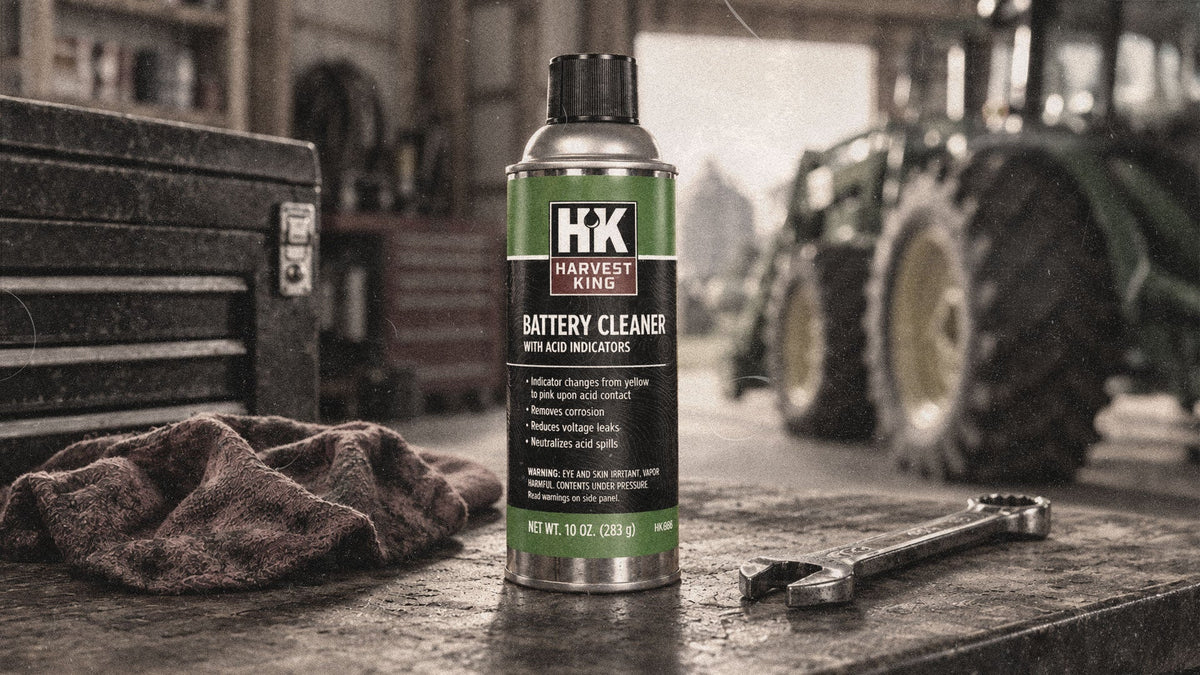
- Apply battery cleaner as directed. Harvest King Battery Cleaner with Acid Indicators is formulated to dissolve corrosion and neutralize acid residue. Its indicator changes from yellow to pink when it contacts acid, helping identify areas that still need attention.
- Remove the loosened buildup. Use a battery-terminal brush or other appropriate non-sparking cleaning tool. Work until the mating surfaces of the post and terminal are clean. Follow the product label for wiping or rinsing directions.
- Let the area dry completely. Moisture left around the connection can interfere with the next step. Confirm that the posts, cable ends, and surrounding area are clean and dry.
- Reconnect and protect the terminals. Reconnect the positive cable first and the negative cable last. Tighten the connections securely without overtightening. Apply terminal protector according to the label to coat and seal the clean connection.
Battery cleaner and terminal protector do different jobs
Battery cleaner removes corrosion and neutralizes acid residue already present. Terminal protector is the follow-up step. Harvest King Battery Terminal Protector uses a lead-free protective coating that helps seal the terminal against future buildup, reduce voltage loss, and support more reliable starting. Applying protector over an unclean connection only traps the problem underneath, so clean first and protect second.
When cleaning is not enough
- The battery case is cracked, swollen, leaking, or unusually hot.
- A terminal post is loose in the battery case or the cable end is badly corroded.
- Corrosion returns quickly after a thorough cleaning.
- The engine still cranks slowly or electrical power remains inconsistent after the connections are clean and tight.
Those conditions may point to a failing battery, damaged cable, charging-system problem, or another electrical issue. A battery and charging-system test can help identify the cause.
Harvest King products for the job
Protect what keeps your kingdom running
Harvest King Battery Cleaner with Acid Indicators helps remove corrosion, neutralize acid residue, and identify problem areas during cleaning. Follow with Harvest King Battery Terminal Protector to coat and seal clean terminals against future corrosion. Always read and follow product labels and equipment instructions.

Leave a comment
This site is protected by hCaptcha and the hCaptcha Privacy Policy and Terms of Service apply.